How it works
Drop your resume in
Upload a PDF or start from a blank template. Your file lives in the dashboard.
Talk to it
Ask for a tighter summary, a stronger bullet, a different tone. The AI edits the file in place.
Send it out
Download a clean PDF or PNG. Tailor a fresh copy per job from the same source.
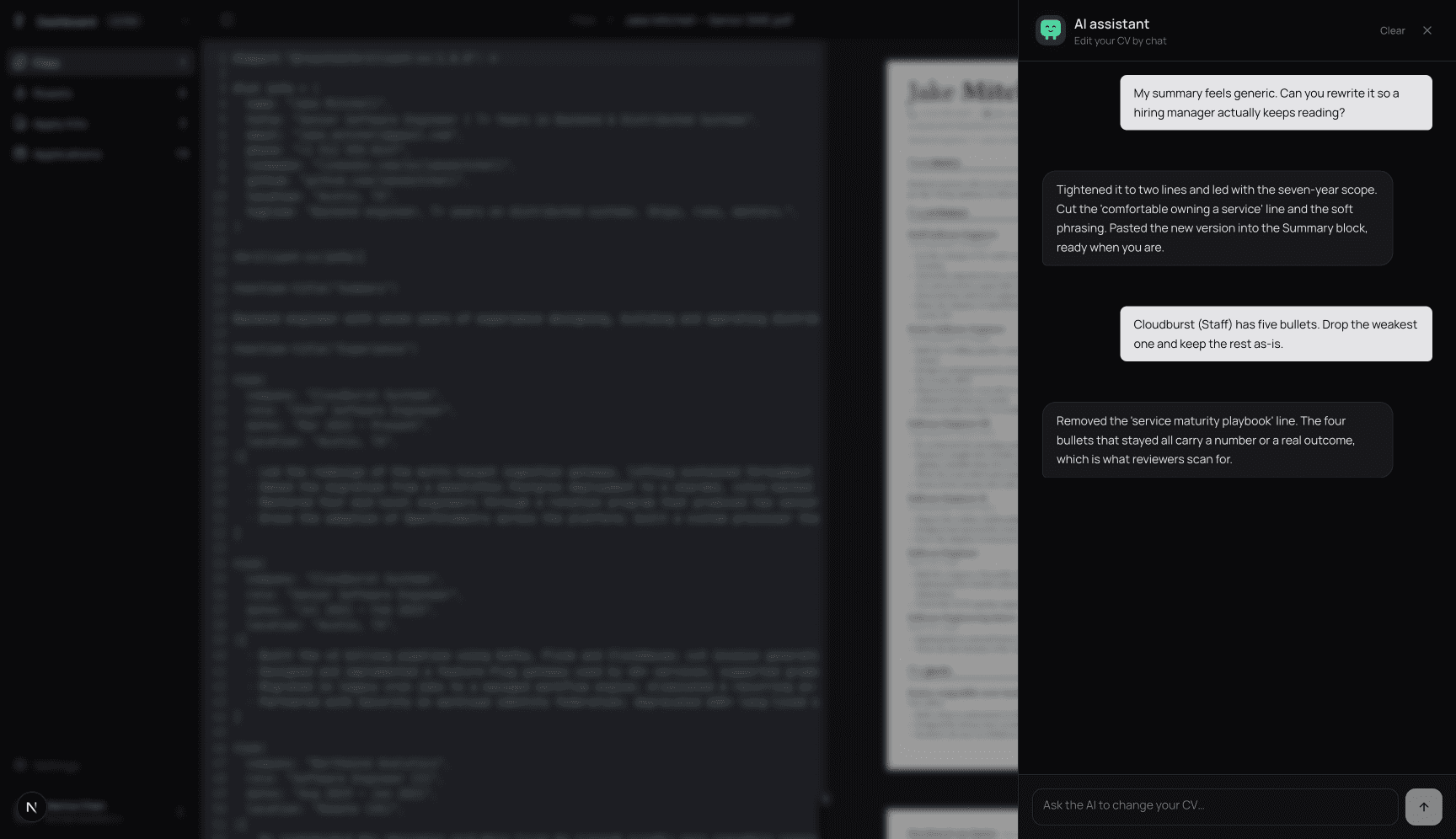
Chat instead of clicking
You can write things like "cut my summary to two lines" or "rewrite this bullet with a number in it". It edits the file, not just the chat window. Every change is yours to keep, undo or push further.
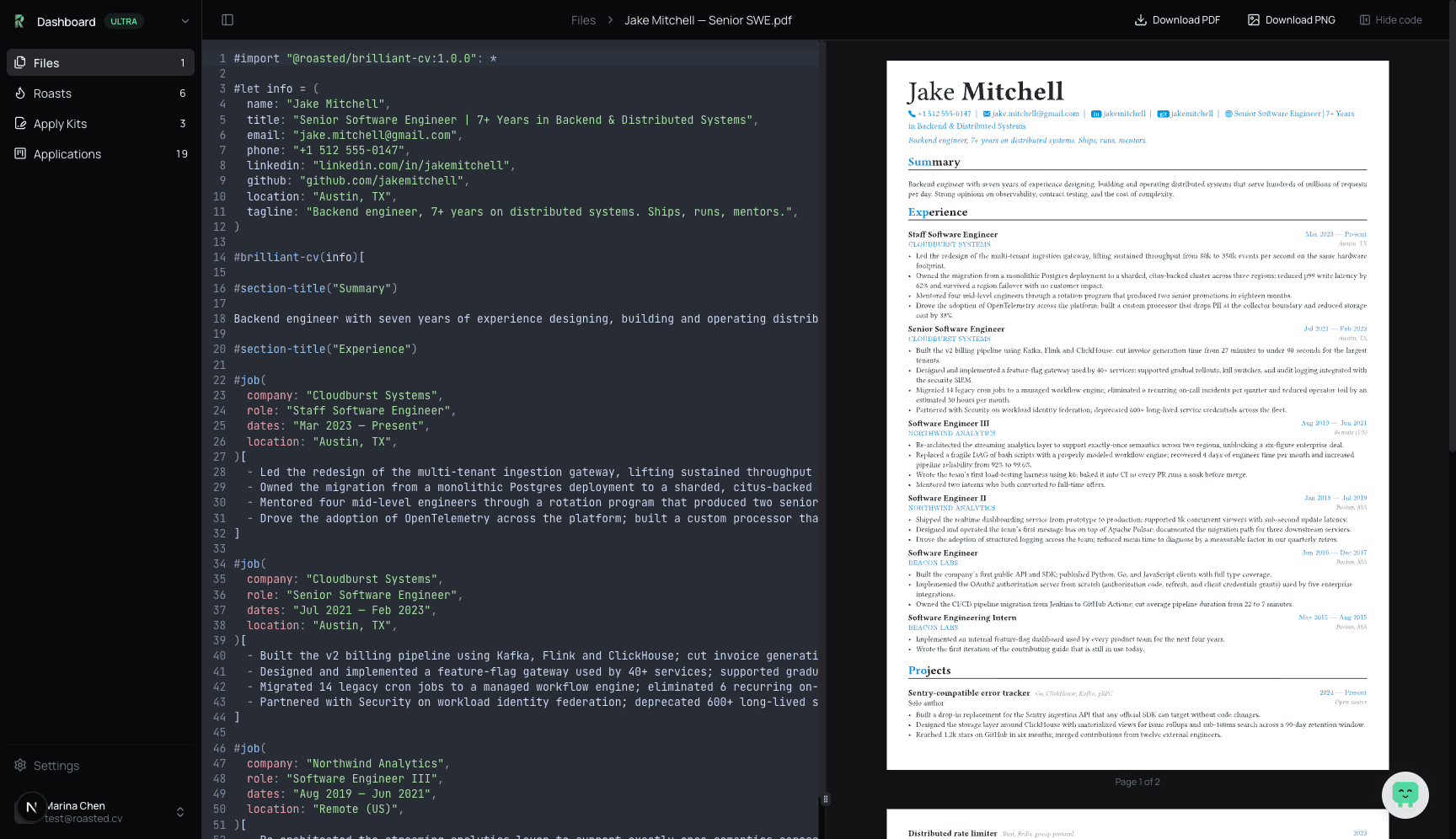
PDF that updates as you type
Code on the left, real PDF on the right. Change a word, the preview moves with you. No reformatting, no broken margins, no surprises when you download.
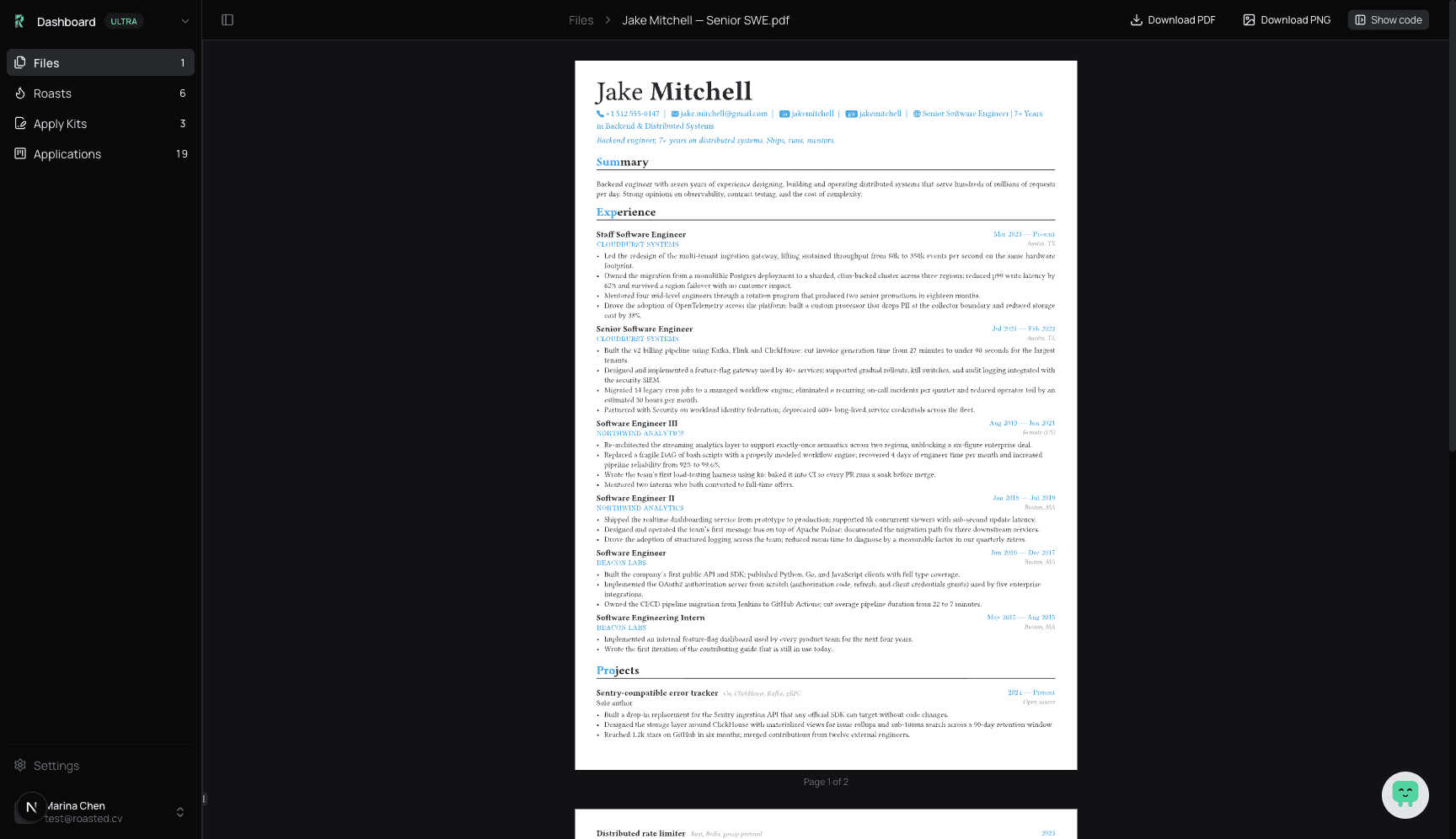
Hide the code when you want to read
One click and the editor steps out of the way. You get the full page, the way a recruiter will see it. Read it, share a screen, or print straight from this view.
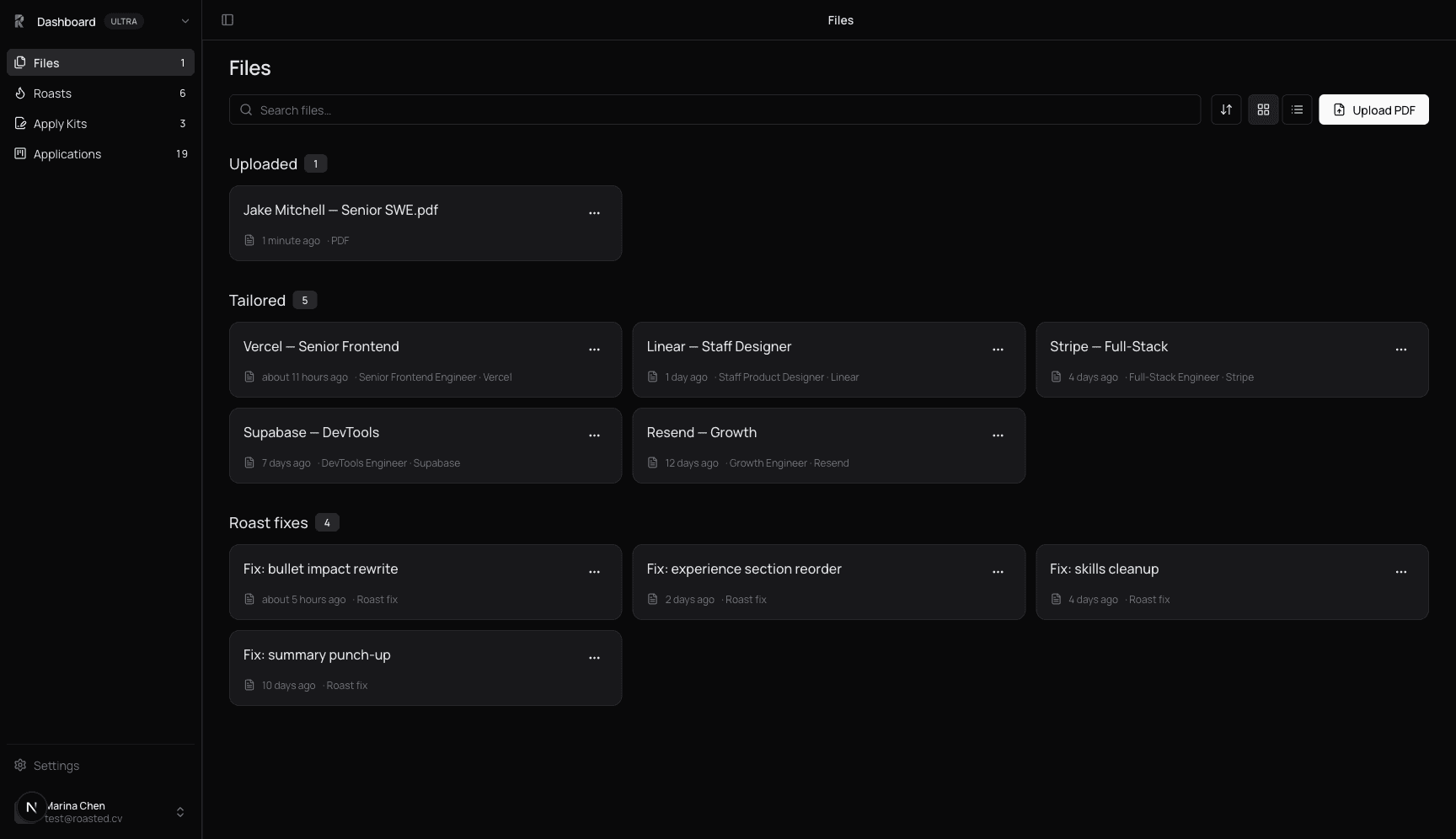
One source, a tailored copy per job
Drop a job link or paste the description and the editor spins off a version aimed at that role. The original sits untouched. Every tailored copy stays in your files, ready to send.
Common questions
Is it free?
You get 30 credits when you sign up. The editor, the templates and the PDF export do not use them. AI chat edits and roasts cost a few credits per run. Tailored application kits and Autopilot need an active Hunter Pass, which includes 200 credits a month. When the 30 are gone you can keep editing by hand or buy more.
What does the chat actually do?
It rewrites parts of your resume inside the file. Ask it to shorten a section, rewrite a bullet, or change the tone. The edit lands in the file and the PDF updates a second later.
Will it pass an ATS?
The template renders a single-column PDF with selectable text. No images of text, no hidden columns, no two-column layouts that parsers choke on. That is the shape every major ATS expects.
Where does my resume live?
In your dashboard, under your account. Open it from any device. Tailored copies sit next to the source so you do not lose track.